Product discovery workshops help teams decide what to build before committing serious time and money to development. They bring business stakeholders, product specialists, designers, and engineers together to examine user needs, map the processes that matter, test assumptions, and agree on the scope of an initial solution.
The hard part is rarely generating ideas. It is turning those ideas into decisions and deliverables the development team can actually use. Traditional workshops often end with dozens of sticky notes, half-finished diagrams, and several days of follow-up work to make sense of it all.
AI can narrow that gap. Used well, it can suggest starting points, organize workshop input, surface missing requirements, and help convert discussion into process models, user stories, data structures, and early prototypes. It does not replace facilitation or domain expertise — those still carry the workshop — but it can shorten the path from conversation to something the team can review and test.
This guide covers how to prepare and run a product discovery workshop, what outputs to expect, and where AI-supported modeling genuinely helps.
Product discovery is how teams find the right thing to build before investing heavily in development. Rather than relying on market research alone, it combines collaborative working sessions, behavioral insight, and iterative testing to uncover what users actually need.
A discovery workshop is the focused, time-boxed version of that process. Teams use methods such as user journey mapping, business process modeling, Event Storming, jobs-to-be-done interviews, and prototype testing to validate assumptions early. Done well, it helps product managers identify real user pain points, pressure-test potential solutions, and align stakeholders before full-scale development — reducing the risk of building features no one uses and helping ensure the Minimum Viable Product (MVP) solves a genuine need.
A discovery workshop earns its place whenever a team is about to invest in something uncertain: a new product, a major feature, a re-platforming effort, or any initiative where business, technical, and user perspectives haven't yet been reconciled. Running one early aligns those perspectives, shortens time-to-market, and reduces the cost of expensive pivots later. The clearer a team is on what to build and why, the less rework it faces down the line.
If the path forward is already obvious and agreed on, you may not need a full workshop. The value comes from resolving genuine uncertainty and disagreement, not from ceremony.
A workshop is only as good as what teams can do with the results afterward. Aim to leave the session with concrete deliverables rather than a wall of notes:
If a workshop ends without most of these, it has usually generated discussion without direction.
A productive session depends on three things: clear objectives, the right participants, and an agenda that balances technical and business concerns. Share a brief covering the discussion topics and expected outcomes at least a week in advance. In that window, technical leads can gather system documentation and metrics while product owners prepare user research and market analysis. This groundwork is what separates a workshop that produces decisions from one that produces an open-ended chat.
Set objectives that are specific, measurable, achievable, relevant, and time-bound. Each goal should connect to a business outcome while accounting for technical constraints, so the team has a clear reference point for every decision it makes during the session.
A strong core group includes technical decision-makers or developers who understand the system architecture, product owners who understand the business goals, and stakeholders who influence resource allocation and know the customer. This mix keeps the discussion grounded in both technical feasibility and business reality.
Identify subject matter experts early too, particularly for specialized areas such as security, compliance, or a specific technology stack. Keep the group large enough to cover the necessary perspectives but small enough for a focused, productive discussion — usually somewhere between five and eight active participants.
A good workshop balances structured facilitation with room for genuine discovery. The session generally moves from high-level business objectives down to specific technical requirements. A workable sequence looks like this:
The facilitator's job throughout is to draw input from every participant and manage time so the conversation stays productive.
Most product discovery tools fall into three groups, and the right choice depends on how far you want the workshop output to carry.
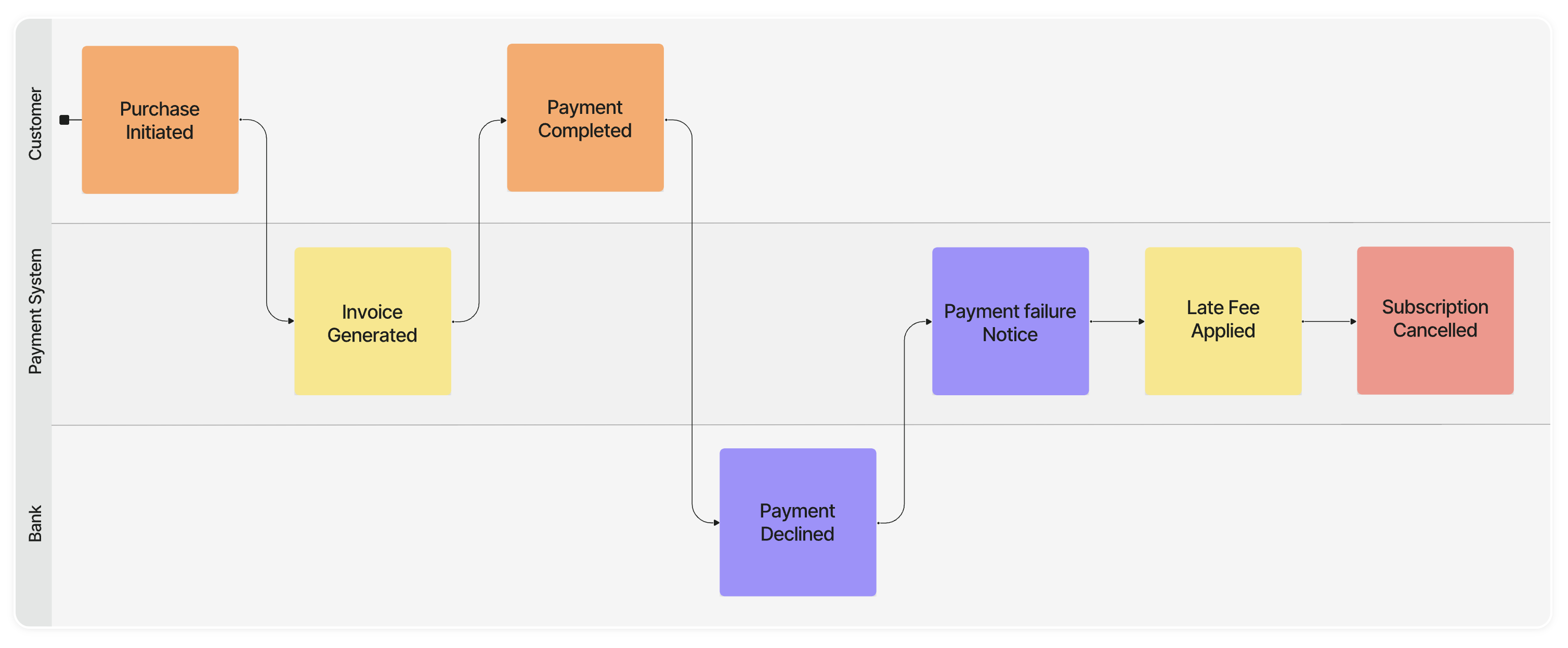
The practical difference between a whiteboard and an AI modeling tool is what survives the meeting. A whiteboard captures the conversation; a modeling tool aims to convert it into structured, buildable output while the participants are still in the room.
Qlerify is one example of the AI modeling category. It combines generative AI with proven agile methods — Event Storming, Domain-Driven Design, Event Modeling, Scrum, User Story Mapping, and Agile Data Modeling — in a collaborative workspace. In a workshop setting, AI tends to help in four specific places:
It's worth being clear about the boundary. AI is good at generating first drafts, spotting gaps, and structuring messy input. It is not good at judging which trade-offs fit your business, which edge cases matter, or where a stakeholder's unspoken constraint will derail a design. Those calls still belong to the people in the room. The point of the tooling is to remove the mechanical work so the team spends its time on judgment.
With the right facilitation tool, a team can capture the data attributes in a business process, generate data models, draft an initial architecture, and have an AI coding agent such as Claude Code, Cursor, or Antigravity read the model over MCP and generate boilerplate code for APIs alongside a simple interface prototype - sometimes within the first session.
As a concrete example: a team mapping a customer onboarding flow might start with a discussion of the steps a new user goes through, turn that into a process model, attach the data each step needs, derive a first data model and a set of user stories, and let a coding agent generate a rough prototype of the onboarding screens from the model. End users can then react to something tangible instead of a description, and that feedback shapes the next iteration.
Claims about going from zero to a prototype "in under an hour" are realistic only under the right conditions: a well-scoped process, the right participants present to answer questions, and a willingness to treat the first output as a draft rather than a finished product. For a sprawling or contested problem, expect the prototype to take longer and several iterations to settle.
A few patterns reliably undermine discovery workshops:
Before the workshop:
During the workshop:
After the workshop:
Discovery workshops supported by the right AI tools turn scattered ideation into structured plans and working prototypes, and shorten time-to-market in the process. The value isn't the AI on its own — it's the combination of solid facilitation, the right participants, and tooling that removes the mechanical work so the team can focus on decisions.
Run with clear preparation and a balance of business and technical perspectives, these workshops help teams reach product-market fit while avoiding costly pivots and rework. If you'd like to go deeper on the techniques mentioned here, explore our guides to Event Storming, Domain-Driven Design, and AI-generated code.
Qlerify is a Stockholm-based software startup changing how teams build enterprise software. Its AI-enhanced modeling platform helps organizations bridge the gap between business and engineering and deliver high-quality, customized software faster. The collaborative workspace is designed to be easy for every stakeholder to use, and it can automate many of the artifacts needed in digital transformation projects, including process models, data models, architecture models, requirements, source code, documentation, and automated tests.